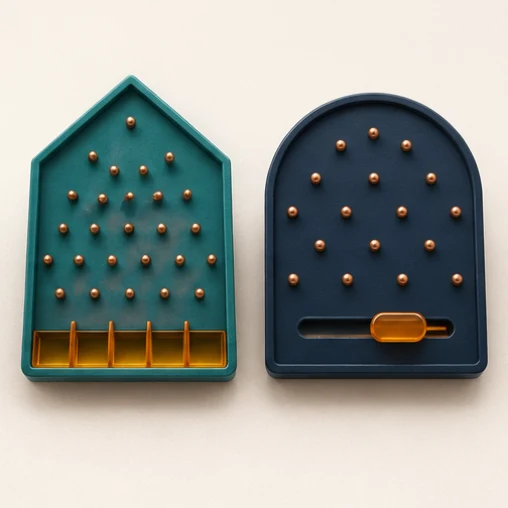
Is Plinko safe to play in NZ?
The question has several parts. A free browser simulator can be used with no account or money. A downloadable app brings publisher and permissions questions. A gambling platform introduces money, identity documents and payment terms. The game title means little until you know which of those you are looking at.
For the local regulatory context, check the Department of Internal Affairs player information. Use current information when comparing the position of different companies. A country name in an advert, a novelty domain or a currency conversion on a screenshot is weak evidence of authorisation.
| Order | Brand | Advantages | Game features | Links |
|---|---|---|---|---|
| 01 |  |
Several Plinko editions to compare | Fast Games listing. Row and risk controls vary by edition. | |
| 02 |  |
Side-by-side multiplier tables by risk level | 1xGames version with 8–16 rows and three risk levels in the published regional rules. | |
| 03 |  |
Row count and risk can be adjusted separately | RolsGames board with 8–16 rows, three risk levels and an autoplay option. | |
| 04 |  |
Published method for verifying completed rounds | Stake Originals board with 8–16 rows and four risk levels. | |
| 05 |  |
Choose how many balls to drop in a round | Gaming Corps edition with 8–16 rows and adjustable volatility. | |
| 06 |  |
A dedicated verifier for past Plinko rounds | Rainbet Original with 8–16 rows and low, medium and high risk settings. |
How to identify a fake Plinko app or advert
- An ad claims you have won before you open the game or read its rules.
- A message directs you to an unfamiliar app installation file or a lookalike store page.
- A website asks for a new payment purely to release a displayed prize.
- The supposed developer, software version and rules cannot be identified.
- The support account asks for a password, authentication code or documents through private messaging.
One signal can have an innocent explanation, but several together warrant extra care. Start from the publisher independently. If you already shared details, keep the relevant records, contact your bank or platform through a verified route, and use the NCSC reporting site as appropriate.
How the game reviews were prepared
We checked publicly available operator and provider descriptions for exact names, game families and stated settings. Where a source describes an overseas catalogue, the review says so. Numbers taken from a provider are identified as published figures. The brand table is listed in editorial order.
Gameplay controls, payment policy and local licensing belong to different evidence categories. The reviews on this site describe the public material. View Casino for the six listings or App for the process of verifying a mobile download.
Is every Plinko win video evidence?
A video can show a genuine round and still tell you little about typical outcomes. It may leave out unsuccessful rounds, use a demo balance or show an older ruleset. A testimonial can also be edited. Use a game’s published rules to understand which multipliers are possible and the account terms to understand cashouts.
For an example without financial stakes, the free Plinko simulator shows each drop and its sample landing value. A result there applies only to the practice board.
Check who controls the page you reached
Start with the address bar when you arrive from an advert, message or search result. Look at the whole hostname. A familiar name can appear inside a longer address, where it may be part of a subdomain or a different registered domain altogether. A link can also use a plausible label while pointing to an unrelated destination. Open the organisation’s known web address independently and compare what it lists for its game, app or support channels.
Check the full hostname
For a hypothetical check, picture a page titled Official Plinko that has copied the icon and colours from a publisher’s website. The address leads to a different organisation and the page names no developer. The styling can tell you where the designer took inspiration, but the operator’s own product catalogue and developer details answer who actually publishes the game. Check those details without using the promoted page as the starting point.
What the padlock confirms
A padlock in the browser tells you about the encrypted connection to the current hostname. Establish the identity of that hostname first. If a money request names a different service entirely, find the service independently and check what relationship, if any, the verified site describes.
Be careful with abbreviated addresses in ads and short links sent by someone you do not know. A search opened directly gives you a way to investigate without committing to the link you received.
Compare a cash claim with the information it would need
A clip showing a ball and a large number usually leaves several questions open. Was the amount shown a multiplier, a balance in game credits, a gross return or a completed payment? Which title, game setting and currency were visible? A short video that cuts straight from the animation to a balance can omit the stake or skip the account restrictions entirely.
Suppose an imaginary advert says the player cashed out NZ$100 and shows a 100× banner. At a NZ$0.20 stake the gross game return from that multiplier would be NZ$20, before considering the account or payment. You would need the stake, the settled result and the payout record to understand the original claim. A cropped clip rarely provides all three.
Treat testimonials as individual stories until you can identify supporting records. Even an accurate report of a successful payout describes one transaction. It gives little information about other payment methods, an account in a different market or another version of the game. The written rules and account terms are better sources for questions about what a product offers.
Read the information in the app or verified website before giving weight to an advertised countdown. A short timer changes how much time a reader feels they have to decide. It does not establish the amount, currency or conditions attached to an offer.
Read the publisher and permissions before installing
On a phone, compare the developer name in the store with the company’s independently verified page. Check whether the app listing connects back to the same publisher, and look at what the listing says the app actually does. A developer may publish more than one game, so scan the title and operating system as well as the icon. The Android listing a search result describes can differ from the page displayed to an iPhone user.
Review which device permissions an app requests and connect them to a particular feature. An optional camera request during a documented identity check is different from a casual free peg-board game asking to read text messages on first launch. For a simple browser demonstration there may be no software to install. Own Your Online advises using official stores and checking the access an app requests.

Review app descriptions and publisher links carefully when a title is common. Marketing names can be short. Look for the game provider, developer contact, recent updates and connection to the verified website. Store comments can help you find questions worth asking, but they do not independently confirm the developer’s claims or a product’s ability to pay out.
If someone directs you to install a file through chat, stop and look at the publisher’s documented channels before continuing. Find the store page independently even when the sender uses a familiar company name.
Match each review claim to the evidence that supports it
Start with the exact title, publisher and market. Record the date where it is shown and use the source that answers your question.
| Claim | Record to check |
|---|---|
| How a feature works | The game supplier’s help panel for the named edition. |
| Where the title is listed | The operator catalogue for that market and date. |
| Which settings are active | The current game screen or rules panel for the version in question. |
Imagine an operator’s public page names a game and a supplier’s page describes a second title with a similar logo. A review should make the title distinction clear before borrowing details about rows, risk or payouts. A screenshot that shows a game tile can help identify the page but may leave the rules entirely out of view. The rules panel that corresponds to the exact edition is the more relevant evidence for a multiplier.
For a payout claim, look for a reference to the current terms for the named method. General statements about withdrawal speed are less useful when a service uses both a review stage and a separate payment processor. If a source only confirms part of the process, describe that part and give the reader a way to locate the missing details.
Check current regulator information separately when deciding what a New Zealand reference can support. Country-specific branding and a dollar sign neither identify the currency nor establish local authorisation.
What to do if a Plinko message asks you to pay
Pause the conversation if a sender says you must transfer money to release a prize. Open the genuine platform independently and check whether the transaction exists in the account history. Use the service’s published contact details if you need help. A reference number created by the sender has little value until the organisation can recognise it through its own channels.
If you entered payment details after following a suspicious link, contact your bank or payment service promptly through its normal support number or app. If you shared a password, change it on the genuine service and any other account where you reused it. Own Your Online also recommends checking whether two-factor authentication is available. If you installed something suspicious, seek incident guidance using a separate trusted route.
Keep evidence that can be passed to the platform or to New Zealand’s National Cyber Security Centre. Useful records include the message, sender details, page address, payment reference and relevant dates. Leave passwords, security codes and personal documents out of general screenshots. If someone follows up claiming they can recover the balance in exchange for another payment, contact the relevant bank or agency independently.
If no account or money was involved, closing the page and reporting the advert may be enough. Preserve only the records needed to show where it appeared.
Common questions
Is Plinko fake?
Plinko is a real game format. A particular site, ad or app using the name can still be fabricated or misleading.
Are Plinko reviews enough to verify a cash app?
Use reviews to identify a version. Then check the publisher, legal entity, terms, permissions and regulator information independently.
Can a well-known logo establish that an app is genuine?
Logos and store screenshots can be copied. The developer identity and the installation source are stronger checks.
Sources

New Zealand SEO and copywriting consultant.