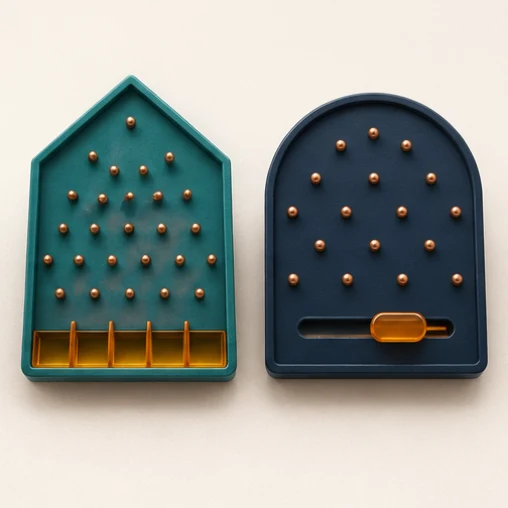
What BGaming added to Plinko 2
BGaming’s product page identifies this sequel and presents adjustable risk with optional feature purchases. Open the rules for the selected mode when looking at a paytable. A number shown in a screenshot may relate to a different mode or configuration.
The Plinko 2 slot label is common in casino navigation, but the drop board is the central mechanic. If a host lobby lists several Plinko games together, use the provider line to distinguish BGaming’s Plinko 2 from a separately named original.
Compare BGaming’s Plinko 2 with six casino listings
Use the exact title and BGaming credit when checking for Plinko 2 in an operator’s catalogue.
| Order | Brand | Published board or controls | What differs from Plinko 2 | Links |
|---|---|---|---|---|
| 01 |  |
The Fast Games listing gives a reference for Melbet’s Plinko. Its settings can vary by edition. | Match the exact version before comparing its row and risk settings with BGaming’s 8–16 row range. | |
| 02 |  |
The published regional 1xGames rules describe 8–16 rows and three risk levels. | The board ranges can overlap. Compare the handling of multiple balls and any multiplier options in the named rules. | |
| 03 |  |
RolsGames describes 8–16 rows, three risk levels and autoplay. | Autoplay controls the sequence of drops. BGaming’s Respin Chance is a portal feature with separate settlement rules. | |
| 04 |  |
Stake Originals describes four risk profiles and verification for completed rounds. | BGaming lists three risk levels. Read the selected profile and the multiplier table before comparing outcomes. | |
| 05 |  |
The Gaming Corps edition also lets you choose how many balls to drop. | Compare how each game displays the total cost when several balls are selected. BGaming also lists separate optional features. | |
| 06 |  |
Rainbet’s own game has 8–16 rows and Low, Medium and High settings. | Compare the paytables at the same row count, then account for BGaming’s optional field multipliers separately. |
Compare Plinko 2 controls and features
| Setting or feature | What changes | What to check in the rules |
|---|---|---|
| Row count and risk | BGaming lists 8–16 rows and three risk levels. The risk setting changes the landing values. | Compare the centre and edge values at the same row count. |
| Ball count and play modes | The provider lists 1–100 balls and describes Manual and Auto as separate modes. | Check whether the amount on screen is per ball or the total for that action. |
| Multiplier Ball Chance | Adds a chance for a ball to carry a 2× or 4× multiplier. | Check how the extra factor applies to the result and whether the feature changes the cost. |
| Field multipliers | An optional feature places up to three movable 2× multipliers on the board. | Look at what happens when the ball crosses a multiplier and read the charge displayed for the feature. |
| Respin Chance | A ball that lands in a portal triggers another drop and keeps its initial landing multiplier. | Read how the respin settles and which settings or offers apply to it. |
What to check in a Plinko 2 demo
BGaming provides an official product page with a demo option. The demo lets you inspect what the controls do and check the game’s presentation. For a neutral practice board with simpler controls, this site provides its own free simulator.
When looking through the demo, compare a regular drop with the help text for a purchasable feature. Read the feature cost, whether it changes the mode and whether its paytable is different. A feature price represents an additional cost in a paid session.
Plinko 2 casino and mobile listings
A casino may list the game in an instant-win, casual or slots category. Look for the exact title, BGaming credit and help text. A regional catalogue may list a different collection of titles from the provider’s global catalogue.
An app called Plinko 2 can be an unrelated arcade title. The exact publisher and listing matter. Browser-hosted games can work on mobile without a separate app even if the interface fills the whole screen. See the app guide for store and developer checks.
Compare it with the classic format
- Classic board. The ball falls through pins and the landing bin gives the visible result.
- Options. BGaming describes game-specific adjustments and purchasable features for Plinko 2.
- Pricing. Compare the full cost of the selected mode to its published payout table, including any feature cost.
- Availability. A provider listing answers which product exists. Check DIA guidance separately for the New Zealand context.
The Chicken Plinko guide covers a different named variant and how to identify its developer.
Read the standard drop before turning on extra features
BGaming’s rules describe a standard drop in terms of the selected amount and the number in the final landing cell. Take a moment to find the amount field and the bottom row together. They tell you how a regular result is calculated. Then find the feature controls. A screenshot with special marks on the board may be showing a feature that was already turned on, while a plain board may show the base view.
The number of lines changes the board’s depth and how many landing positions it presents. BGaming’s product page lists a range of eight to sixteen lines. The risk control changes the bottom-cell values. If comparing two screenshots, record both settings and any visible features before reading the values. A different layout may reflect one setting change. A different cell value can also reflect a mode with its own rules.
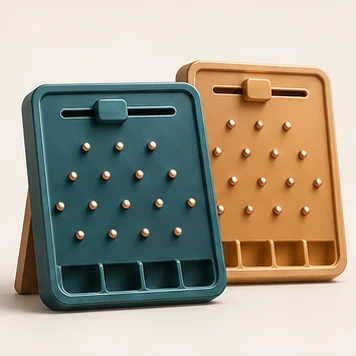
One way to keep the comparison tidy is to record the title, game version if shown, lines, risk and active features in a note. Under that, copy the centre cell and the outside cell from each screen. The note captures what you can see at that moment and flags any details you could not confirm. Open the How to Play guide for the basic relationship between rows and landing positions if this is your first peg-drop board.
Follow the path when the field has an extra multiplier
The provider’s rules call one optional enhancement Multiplier. It adds lines with extra multipliers that can affect the return if a ball travels through them. The rules describe limited adjustment of their positions. When reviewing a marked board, distinguish these field multipliers from the numbers in the bottom cells. One belongs to a feature encountered on the way down and the other belongs to the final position.
Imagine a fictional board where a ball earns an extra multiplier of two on the way to a cell of 1.5×. If the rules apply that extra factor to the cell return, a starting amount of ten practice units would first give fifteen and then thirty. This arithmetic explains the difference between adding a factor and reading a different landing value. It uses invented amounts and does not specify the charge or possible returns in BGaming’s actual offer.
If you look through a demo, check whether the help panel distinguishes a plain drop from an enhanced one. Find the line that says what triggers the effect before using the position of the marker to explain a result. A drop can cross part of the board without reaching that marker. The relevant question is what condition the feature needs, and where the rules show the feature being applied to the return.
Tell a multiplier ball from a portal
Multiplier Ball Chance and One More Spin are separate items in the rules. The first introduces a chance that a ball receives a twofold or fourfold factor. The second puts portals in some landing positions when active. Under the published description, landing in a portal triggers another spin while retaining the multiplier from the original landing. Identifying which effect a screen shows matters because one changes the ball and the other starts from a landing position.
Terminology in the rules
BGaming’s public product page calls the portal effect Respin Chance, while the separate rules call it One More Spin. The matching description is a more reliable way to recognise it than either name alone. Read the in-game help for the version in front of you. A picture of a portal or a message about maintaining a multiplier can tell you what part of the mechanic the clip is illustrating. It says little by itself about the likelihood or price.
Follow one effect at a time
Use a written example to keep the two ideas apart. Say a ball already shows a factor before it starts. Put that feature on the ball line of your note. If you instead see a ball drop into a marked landing position and a second sequence begin, put it on the cell line. This distinction makes it easier to follow a results display when more than one effect is available. Check the final result or history after the additional motion has finished.
Check the total before comparing a batch with a single ball
BGaming describes a ball-quantity control alongside manual and automatic modes. Each setting deserves a separate check in the specific release. Look for the number of balls, the amount associated with one drop, the total shown for the action and the rules for any active feature. In a recording, several balls moving quickly can look like a single result because the ball animations overlap your view of the balance.
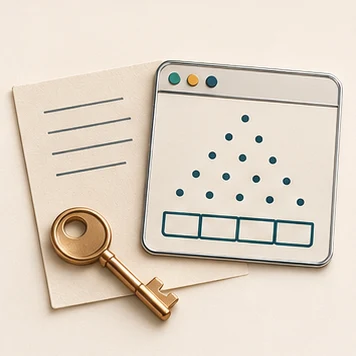
| Item | Amount |
|---|---|
| Five balls at two units each | 10 units |
| Total with a sample extra charge | 12 units |
| Combined return | 11 units |
| Change after the total charge | −1 unit |
This example explains the figures to look for in a multi-ball preview. The amounts are fictional. Read the pricing and feature conditions in the exact Plinko 2 version you are reviewing.
Game settings that affect pace also influence the time available to read a result. In a demo, pause between manual drops and try to match each new entry to the setting visible at the start. Before treating a clip as a comparison, check whether it labels one ball, a batch or a feature result. A combined return can appear larger than a single-ball return simply because it combines more events. The amount charged for those events belongs in the same calculation.
Interpret the published figures in context
BGaming’s catalogue lists a theoretical return figure of 99% and a top multiplier of 10,000×. The linked rules associate that top figure with purchased features and use configuration fields for the applicable return range and highest-result frequency. Read the game help for the specific mode if you want those details. The product page is a useful index for identifying the title. Its headline figures give less detail about any particular configuration than the rules attached to the actual launch.
Theoretical return describes a long-run mathematical average of returns against the amounts at risk under specified conditions. For a fictional example, imagine a sample paytable whose expected return is 95 units per 100 units across many repetitions. A short set spending 100 units can finish above or below 95. That sample average does not identify which ball will reach a particular cell, and a large maximum reveals little about how often that cell occurs.
If a feature is missing, first check the rules and mode for that launch. BGaming’s own rule sheet describes implementations where automatic play, quick spins or feature purchases can be unavailable. In your notes, record what the game in front of you actually offers and keep the general provider description on a separate line. This keeps useful mechanics information from being confused with the controls present on a particular screen. If you are only curious about the physical layout, a standard drop is enough to see how the pegs and cells work together.
Common questions
Who made Plinko 2?
BGaming publishes the Plinko 2 title discussed on this page.
Can I play Plinko 2 in a demo?
BGaming’s public product page lists a demo. This site separately offers an original practice board with sample multipliers.
Does the Plinko 2 app name guarantee a connection to BGaming?
Check the publisher or provider identified within the product. Similar names can refer to different software.
Sources

New Zealand SEO and copywriting consultant.