
Which Chicken Plinko game is this?
Onlyplay lists Chicken Plinko in its game catalogue. The provider’s page identifies the title and shows its artwork and interface. For a game inside a host lobby, check that the information panel lists the same title and developer. An app-store game can legally have its own publisher and a similar theme.
The game is often described as a Chicken Plinko slot in search results. The central idea is a peg drop into an outcome lane. The chicken and egg artwork help distinguish the title visually, while the rules panel tells you which features and payout settings are active.
Compare Chicken Plinko and casino brand listings
The first column describes each brand’s published Plinko board. To verify Chicken Plinko in a specific lobby, match the title and developer to Onlyplay’s demo.
| Order | Brand | Public Plinko listing | How to identify Onlyplay’s game | Links |
|---|---|---|---|---|
| 01 |  |
Melbet’s Fast Games page documents its Plinko listing. | Look for a separate Chicken Plinko tile with the Onlyplay credit. The Fast Games page documents a different listing. | |
| 02 |  |
1xGames lists a peg-board title called Plinko in its regional catalogue. | Check the casino supplier catalogue separately. The game information should show both Chicken Plinko and Onlyplay. | |
| 03 |  |
RolsGames describes its own board and adjustable rows and risk. | Use the developer line to identify any chicken-themed result. Onlyplay’s title has its own board and paytable. | |
| 04 |  |
Stake Plinko is an in-house Originals game with its own round verification. | Search the supplier catalogue for Chicken Plinko. Verify Onlyplay in the game details before comparing the rules. | |
| 05 |  |
LeoVegas Plinko has a Gaming Corps credit in the Canadian catalogue. | Check for a separate Onlyplay entry in the relevant catalogue. The branded Gaming Corps tile has its own rules. | |
| 06 |  |
Rainbet Originals lists Rainbet’s own Plinko board. | Check the studio listed on any Chicken Plinko search result. The Onlyplay title can be matched against the provider demo. |
Compare Chicken Plinko versions and lookalikes
| Version or listing | What you’ll see | Balance and rules | How to identify it |
|---|---|---|---|
| Onlyplay provider demo | The publisher’s product page offers a demo and shows the game interface. | Use the demo to inspect the controls. A demo balance has no cash value. | Match the title Chicken Plinko and the Onlyplay provider name. |
| Chicken Plinko in a casino lobby | The host opens the supplier’s game inside its own lobby. | Read the in-game help for the paytable and the host’s terms for account funds and any offer. | Look for Onlyplay in the game information panel. |
| Chicken-themed arcade app | An app with a similar name or chicken artwork may come from another publisher. | Check whether it uses game points, shows ads or sells items in the app. | Check the store’s developer name and match it to the publisher’s product page. |
| Plinko NZ practice board | A free browser simulator for the basic peg-drop mechanic. | Sample multipliers and no withdrawable balance. | The demo is labelled Plinko simulator on this site. |
What a Chicken Plinko demo shows
A demo is useful for reading the controls. Look for the starting balance, the controls you can change and the way the landing slot is highlighted. Verify whether the demo runs in the same mode as the game described by the host.
If you want to see the basic timing of a peg drop, use the free Plinko board on this site. It uses its own rows and sample multipliers. It does not reproduce Onlyplay’s art, rules or bonus events.
Chicken Plinko bonuses and the paytable
The term “Chicken Plinko bonus” can refer to a feature inside the game or an account offer at a casino. The game’s help panel explains when an in-game feature is triggered. The casino’s promotion terms explain whether the game counts towards any wagering or withdrawal conditions.
Many screenshots of games capture a seasonal look or a selected mode. Compare the game name, provider and rule version together. Use the values shown in the actual information panel when a third-party image shows different multipliers.
Finding the original on mobile
The provider’s product page is the clearest reference for the title. A Chicken Plinko app listing with a similar icon may be an independent arcade game. The app developer, privacy details and payment model tell you much more than the icon.
If a Chicken Plinko casino page sends you to a separate download, pause and verify the seller and source. See the NZ app guide for the Android and iPhone checks, or compare this themed version with Plinko 2.
Match Onlyplay’s product name to the edition on screen
Search results can swap the two words in Chicken Plinko, truncate the title beside an app icon, or group several themed games under the same chicken artwork. Start with the provider name next to the title. Onlyplay has a product page for Chicken Plinko with a gallery of the game interface. Find the information button or help menu in the version you are looking at and compare the title and provider there.
An operator might put the title inside an instant-game catalogue, while a search engine files it alongside slots. These labels are useful for finding the tile. For the details of a particular game, use the provider name and the rules panel once the product is open. Two products can use the same theme and different ways of choosing outcomes, settling a round or displaying a balance.
For example, you might find a phone app with a chicken icon and a gameplay clip from a casino lobby, both called Chicken Plinko in the search results. The app’s publisher may be an independent developer, while the lobby’s help button may name Onlyplay. Treat them as separate leads until you can match the names. The provider gallery is particularly useful when the lower part of a cropped screenshot cuts off the title.
Work out what the chicken artwork is showing
Think of the screen as three parts. The first is the control area where a round starts or its settings are chosen. The second is the animation area, where the object drops. The third is the result, which may appear in a landing lane, a temporary message or the history panel. When the graphics draw your eye to the mascot, find the result text as well so you know which graphic is part of the outcome display.
If the chicken moves or the egg takes a dramatic last bounce, open the help information before reading a mechanic into it. A game can animate an ordinary result with the same energy as a special event. A genuine feature should have a name and an explanation in the rules, telling you what starts it and how an outcome is recorded. A reaction animation is easier to understand once you know what triggered it from the written rules.
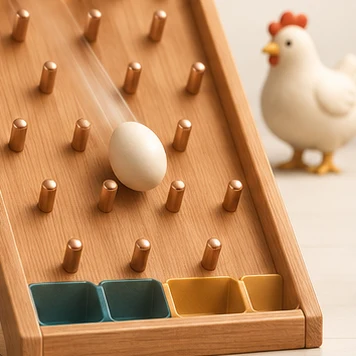
The same distinction matters in clips. A short highlight might show the last few bounces and cut before the final result settles. Pause the clip and see which labels are actually readable. If the start amount, rule version or balance are absent, the footage mainly tells you something about the visual design. The live help panel for the exact edition is the better reference for what the lane and result mean.
Compare a practice screen with the provider gallery
A demo can help you identify where information appears without making you guess from a still image. Start by opening the help screen and seeing whether it stays accessible before the first drop. Make a note of the balance label, the unit used beside the current amount and where any feature status appears. These are the details you can check against the sponsored clip or search result that led you there.
When a simulator is made by a different publisher, use it to learn the shape of the board and the order of the controls. It may use a different number of pegs, its own result values or another animation speed. Even when the paths look familiar, its result history does not demonstrate how the Onlyplay title settles. The free board on this site is a general peg-drop practice game with its own implementation.
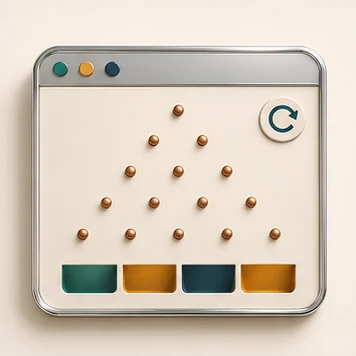
Try a simple reading exercise. Before a drop, note where you would look to identify the selected mode. After the drop, locate the value attached to the result. Resume only once you can tell which number is a setting and which is an outcome. This helps you judge whether a demo is legible on your phone and whether you need the wider rules view to follow it.
Read the published figures in their original context
Onlyplay places these specifications alongside the gameplay images. Use the in-game information to check the configuration and conditions for the exact version you can open.
| Measure | Catalogue figure | How to read it |
|---|---|---|
| Return to player | 96.14% | Long-run figure under the applicable rules. |
| Volatility | Medium | The provider’s description of how returns may vary. |
| Maximum win | 1,000× | The largest listed outcome. The catalogue figure leaves its frequency open. |
Return to player is a long-run measure of return relative to stakes under the relevant rules. It can help explain a game’s mathematical listing, while a short demo gives you a sequence of individual results. A handful of rounds cannot establish the return figure on its own. Watch for comparisons that quote one provider’s return and another version’s maximum together, as though they describe the same setup.
A multiplier can be easier to read with a simple hypothetical example. If the rules apply a 0.5× result to a two-credit stake, the round returns one credit. The starting amount and the return use the same unit in that example. The one-credit difference is the gap between what went in and what came back. Use the figures on the actual rule screen when you compare a lane, feature result or maximum across editions.
Pin down what a Chicken Plinko bonus refers to
The word bonus can mean a named event inside a drop game, a perk granted by a host or points awarded inside a free app. Find the rule that describes where the bonus starts and which balance it affects. An event inside a single round might be recorded in that round’s history. A host promotion may sit in the account area and have its own expiry and game eligibility terms.
Read the conditions
If a result page advertises free credits for a chicken-themed game, read the conditions before comparing it with a demo. Ask whether the balance is virtual, whether a charge or deposit is mentioned, and whether the terms identify the same game developer. A page can make the game name prominent and still leave out the details you need to know how a bonus works. A post saying the bonus is for all games is less useful than a rules page that names the product family.
Record the exact edition
Keep a short comparison record if several products seem to fit your search. The title, provider, where you found it and where you read the rules are enough to distinguish most lookalikes. Add the mode and balance label if you plan to compare an example. With those details in hand, the art can help you recognise the right screen and the written rules can answer the questions the art leaves open.
Common questions
Who makes Chicken Plinko?
Onlyplay publishes the game covered by this guide. Other chicken-themed peg-drop games may have a different developer.
Do all Chicken Plinko online versions use the same rules?
Check the game title, provider and active mode. The rules in the exact version explain its outcomes and available features.
Can I try a Chicken Plinko-style drop here?
The free simulator lets you explore the common peg-drop idea with its own practice board.
Sources

New Zealand SEO and copywriting consultant.