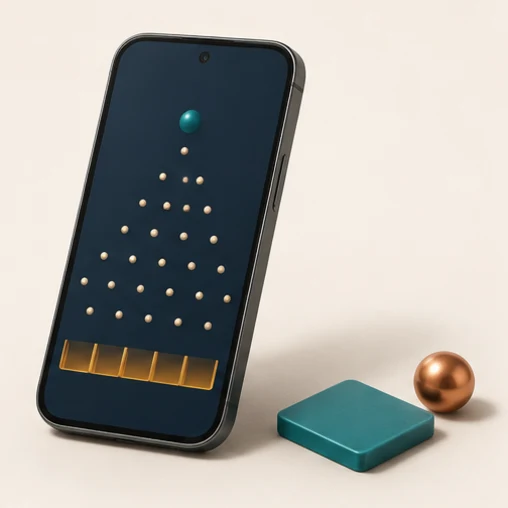
What is a Plinko gambling app?
A Plinko gambling app offers a peg-drop game with a wager, or opens a casino lobby where one is listed. An arcade app may have points, videos or in-app purchases and never offer a withdrawal. A browser-based game can look like either one when it opens full screen.
Start with the provider name in the game’s rules and the company listed as the app publisher. Those can be different organisations. The provider develops the game, while a casino or independent studio may publish the app. When an advert leaves out both names, the terms “official app” and “real money” give you little to verify.
Compare Plinko on mobile by brand
| Order | Brand | Where to look on mobile | What to check on the phone | Links |
|---|---|---|---|---|
| 01 |  |
Melbet publishes a mobile app guide and a separate Plinko page in Fast Games. | Check whether the mobile lobby opens the same Fast Games entry and shows the same row and risk controls. | |
| 02 |  |
1xBet publishes a mobile download page. Its own Plinko is listed under 1xGames. | Look for the 1xGames label and see whether you can view the paytable before starting a round. | |
| 03 |  |
The public game page identifies the RolsGames version. Use that title when searching the mobile lobby. | Check the row selector and Low, Regular and High settings in the phone’s game panel. | |
| 04 |  |
Stake lists its in-house board under Stake Originals and documents a browser demo. | Look for demo mode and check where the round history and verification controls appear on your phone. | |
| 05 |  |
The Canadian catalogue identifies LeoVegas Plinko as a Gaming Corps title. | Match the Gaming Corps credit in the mobile game information. Check the NZ catalogue separately. | |
| 06 |  |
The public browser listing places Plinko in Rainbet Originals. | Check that you can read the stake currency and the round details on the phone’s game screen. |
Compare Plinko app and browser options
| Format | How it opens | Account and payments | What to check |
|---|---|---|---|
| Browser practice board | Opens on a website through your phone’s browser. | Our free Plinko demo needs no account and has no cash balance. | Use the site address to identify the demo. |
| Home-screen web app | A home-screen icon opens a website in an app-style window. | A login or payment still belongs to the website behind the icon. | Verify the website before adding its shortcut. |
| Google Play app | Installs from a Google Play listing on Android. | The listing may show in-app purchases. Read the listing and game terms to see what the purchase buys. | Check the developer, Data safety and Play Protect warnings. |
| iPhone App Store app | Installs from the App Store if the publisher lists it for your region. | Check in-app purchases and whether the app needs its own account. | Check the developer name and the App Privacy section. |
| Casino app or mobile site | The operator hosts the lobby. A separate studio may make the game. | Any real-money balance and withdrawal are managed by the operator. | Confirm the game provider in the rules and read the operator’s account terms. |
Check a Plinko app download on Android
Use the store directly on your device, then check the developer name against the studio or platform’s known website. Read the permissions and purchase details. Peg-drop games rarely need access to your contacts, text messages or accessibility controls.
A download promoted as an Android APK can bypass the normal store installation path. The New Zealand NCSC advises using official app stores. A listing screen, a star rating or a familiar logo on a third-party download page can be copied.
On an iPhone, inspect the App Store listing and its developer details. Store catalogues vary by country, so screenshots from overseas may show a listing that is unavailable in New Zealand.
Where a Plinko login belongs
The browser simulator on this site opens without a login. For a casino-hosted game, the account normally belongs to the host, even when another company makes the software. A link asking you to enter a casino password on an unrelated sign-in page deserves a second look.
If you need to check a login for a service you already use, open the address or app you know and inspect the account area directly. Keep verification codes out of chats and private messages. Contact the company through its published support channel if the login page suddenly changes or asks for an unexpected fee.
A practical Plinko app review checklist
- Identity. Is the game developer named in the rules, and is the app publisher identifiable in the store?
- Charges. Can you see in-app purchase information before you tap?
- Data. Does the app ask for permissions that suit its purpose?
- Money. Do the rules clearly distinguish points, bonus credits and a withdrawable balance?
- Support. Is there a verifiable route for account deletion or a payment dispute?
If you want to understand the board first, open the free browser demo on your phone. Its controls let you check what rows and risk change before you compare a specific app.
Tell a browser game, home-screen shortcut and installed app apart
A full-screen game can hide the address bar. Close the game and check where you return to identify how it opened.
| Format | Where to check |
|---|---|
| Browser tab | Return to the browser and read the full address. |
| Home-screen shortcut | Identify the website behind the icon. It can open in a window with minimal browser controls. |
| Installed app | Find the original store listing and publisher. |
The distinction matters if you need support. A tab that freezes can often be reopened at a known address. An installed app may show a version in its settings that its developer can use to reproduce a display problem. A website shortcut may keep some data in the browser profile that created it. Before clearing anything, work out which window you were using and whether it held an account login or a free practice session.
Imagine two shortcuts named Plinko on the same home screen. One opens a peg board that asks for no account. The other opens a host lobby where a game tile has the same name. The icon labels are almost identical, but the service behind each one is different. Keep the address or store listing as the point of reference when sharing a link or reporting a problem.
Read a store listing beyond the first screenshot
Open the developer details and look for a support address, the names of other published apps and an information page for the exact product. A recognisable company name in the description can refer to a game inside someone else’s app. The developer field tells you who submitted the store listing. Look up the two names separately if the studio and the store publisher are different.
Then read the pricing language at the point where it applies. The store’s download button tells you what it costs to install. The in-app purchase list can describe a separate subscription or a pack of extra turns. Read the confirmation screen before paying and check what the purchase grants. A pack of digital tokens might let you use a game feature while carrying no right to redeem the tokens for money.

Product reviews are most helpful when they identify a current version and a specific problem. A review from another country may describe purchases or account controls that differ from what you see. A string of very similar reviews gives you little detail to work with. Check whether the developer replies to reports about billing or updates, and use the support contact printed in the listing when you need a record of the conversation.
Check what happens when an install link changes hands
An advert can send you through several pages before showing an install button. Each page can look similar while belonging to a different organisation. On an unfamiliar route, pause when the address switches, especially if the destination asks for a new sign-in or a file download. Open the expected store or developer site independently. This gives you a dependable starting point before you decide whether the result is the one you meant to find.
Android security warnings
On Android, a security warning deserves attention even if the page calls it a necessary step. Google says Play Protect checks apps and can warn about potentially harmful software. Leave that protection on and verify the publisher through the official listing. A page that says you must turn off a check to reveal a payout gives you a concrete reason to close it. The file extension describes the packaging and says nothing about whether the app is safe.
App permissions
Look at permission prompts one at a time. A notification request may be for reminders, which you can usually decline and still judge whether the game suits you. Access to messages, contacts or control over other apps requires a stronger explanation for a simple drop game. If you accidentally approved a permission, check the app’s permission list in system settings. Review the account separately if you entered a password or approved a purchase.
Try the controls on a smaller screen
Use a practice view to see what remains on screen when the phone is in portrait position. The board may fit comfortably while the bottom row of controls needs scrolling. Look for which button starts a drop, which opens the rules and which changes the next round. If opening the phone keyboard hides the current amount or the confirmation button, dismiss it and read the whole screen before making another choice.
Test what happens when the connection pauses or the screen locks during a practice drop. A stalled animation is different from the app losing all state. In a logged-in game, use its history to see whether a round already has an entry if the connection returns mid-animation. The time, amount and reference in that history are more useful for support than a description of the ball’s last position on screen.
Check sound, animation and text size while you are exploring. An interface may offer a silence option but still use an animation to show the result. Work out where the result is written so you can read it once the animation disappears. If zooming in cuts the result off, keeping the page open on a wider screen may make the rules easier to read. The practice board on this site is a useful quick test of the basic layout.
Follow the billing trail if a screen asks for money
An app can show a store purchase dialog, a hosted checkout or a balance inside the game. Identify which company is on the payment screen. If a charge appears, the merchant name on the receipt helps establish who can answer a refund or cancellation question. Save the receipt or transaction reference privately and send it through the support route belonging to the company that issued it.
When a screen says a reward is ready, read the conditions in the app’s rules before supplying personal information. You may find that the reward is a virtual score or part of a separate promotion. If the terms tell you where to make a claim, compare that destination with the publisher’s published contacts. You can walk away if a stranger in a direct message asks for an instalment, verification code or payment to release the alleged reward.
A deliberate search leaves you with three details you can verify again: the name of the app publisher, the name of the game developer and the place that handles any charge. If you only want to see a ball drop, you can stop after identifying a browser practice board. If the listing claims something more, take a minute to find how its account or purchase model works before trying to use it.
Common questions
Is there one official Plinko app in NZ?
Different developers and operators use the Plinko name. Verify the precise title and publisher before treating any listing as official.
Can I download this Plinko app for Android?
This site offers a browser demo. Open the Free page on Android and use Drop ball directly.
Can I use the simulator without a Plinko login?
Yes. The simulator has no accounts and starts from a fresh board when the page is reloaded.
Sources

New Zealand SEO and copywriting consultant.