Ready to drop
How the free Plinko game works
Select 8, 10 or 12 rows, choose one of the three risk settings, then press Drop ball. The ball makes an independent left-or-right choice at every step. The last tile it reaches shows the sample multiplier for that drop. There is no stake, wallet or redeemable balance.
Changing the risk setting changes the values printed below the peg board. It keeps the same left-or-right probabilities for a fixed row count. A higher setting gives the outside slots larger values and the centre lower values, so comparing the boards is more informative than watching a single result.
What “Plinko unblocked” usually means
People searching for unblocked Plinko often want a browser game that opens without installing anything. This demo runs on a modern browser with JavaScript. The school, employer or network administrator controls whether a particular site is available on their network.
The game begins from a fresh board after a reload. Reset also clears the count and the highlighted result. No sign-in is needed to test the controls across a phone and a desktop browser.
What a practice drop can teach you
- Compare the value in the centre at two risk settings.
- Set the same number of rows and make a series of drops. Check how often the ball stays near the middle.
- Change the row count and see how the number of landing bins changes.
- Look at the edge multiplier, then count the straight left-or-right steps that reach it.
With eight rows there are 256 equally likely sequences of left-or-right choices in this simulation. Exactly one sequence reaches the far left and one reaches the far right. The ratio for this board follows from its model. Every named casino version has its own published rules and may use a different model.
Playing Plinko with fake money
This practice board displays outcome multipliers without debiting a balance. Other free Plinko games may give you a fake-money bankroll to show gains and losses over a session. Credits in that setting serve as counters unless the specific product publishes a separate redemption agreement.
For a closer look at the board’s geometry, visit How to Play. For the difference between a virtual result and paid play, see Real Money.
Get a clear reading from the first drop
Leave the demo on eight rows and the medium setting for your first look. There are nine tiles under the pegs. Find the three near the centre that display 0.4× and the two outside tiles that display 5×. Press Drop ball once, then wait for the highlighted tile and the result line. The count in that line tells you which drop you have just completed. The tile shows its position on the board as well as the multiplier.
A multiplier can appear more than once because the numbers are rounded and arranged around the centre. If the result line says 0.4×, that is enough to tell you the multiplier. The highlighted tile gives you the additional information of whether the ball landed exactly in the middle or alongside it. For a comparison based on positions, read the tile before making another drop. For a comparison based on returns, the printed value is the relevant part.
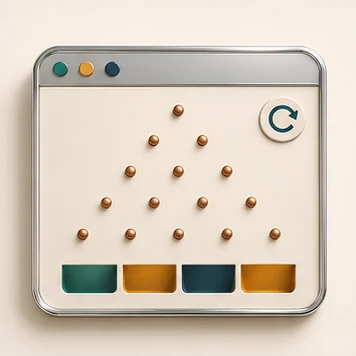
The demo lets a drop finish before accepting another button press or a settings change. This keeps the highlighted tile and the underlying settings together. If you have reduced motion turned on in your device settings, the ball can move directly to its final location. The result line and the tile still show the outcome. When you test the layout on a phone, look for both indicators instead of depending on how long the animation stays on screen.
Try a small observation exercise
Use the medium setting and eight rows for ten drops. In a note, make three groups called middle, near side and outside. For this exercise, the middle is the centre tile and its two immediate neighbours. Each far edge counts as outside, and all other bins count as near side. Start at zero in each group. Add one mark to the matching group after each drop. You should have ten marks at the end.
On the eight-row model, the centre is reached by four right steps. Combining those paths with paths that make three or five right steps gives 182 out of 256 equally likely sequences. This is about 71% under the assumptions of the practice board. Ten drops are a small sample. You could see the middle five times, eight times or a different count. Treat the rule and the results as separate records. The rule describes all possible paths, and your note describes only the ones that happened to appear.
If you want a second record, reset and use exactly the same settings. The count will start over while the probabilities remain as before. Compare your two notes for differences that can arise with the settings fixed. Seeing an edge once in the second set does not mean the reset has made that tile more likely. You can stop after two short sets and still see how little an individual run tells you about the next one.
Compare low, medium and high with the ball still
Start on eight rows. Compare the centre, the outside tile and its neighbour across the settings before dropping a ball. The labels change instantly, so you can compare the paytable independently of the ball’s path.
| Setting | Centre bin | Outside bin |
|---|---|---|
| Low | 0.7× | 2× |
| Medium | 0.4× | 5× |
| High | 0.2× | 12× |
You can use the results to answer a specific question. Suppose someone tells you the high setting means the ball can travel to the outside more easily. On this board you can compare the number of rows before and after the setting change and see that it stays at eight. As each row keeps its fair left-or-right choice, the route to the far left still consists of eight left turns. What has changed is the number attached to that tile.
The site’s low, medium and high labels belong to this practice game. Similar words in another product can describe a different paytable or a feature that adjusts the game in other ways. If you want to compare a named title to the demo, start by reading the named rules and note which controls carry the same labels. Our How to Play guide follows the row and multiplier settings separately and shows how a simple board’s paths can be counted.
See how the row control changes the screen
Moving from eight to ten rows adds two levels of pegs and two landing tiles. Twelve rows give you thirteen tiles. A new setting rebuilds the display and clears the counter, so keep any observations you want before changing it. The centre stays in the middle of the row. A tile you counted as fifth on a nine-tile row, however, is two places left of the middle in a thirteen-tile row.
A short way to see the difference is to draw the nine, eleven and thirteen positions on one sheet. Align them at their centres and circle the outside positions before dropping a ball. The number of tiles shows how many places exist. It leaves out a second question, how many paths lead to each place. Counting all left-or-right sequences gives 256 paths on eight rows, 1,024 on ten, and 4,096 on twelve. Many of those paths end in the same tile.
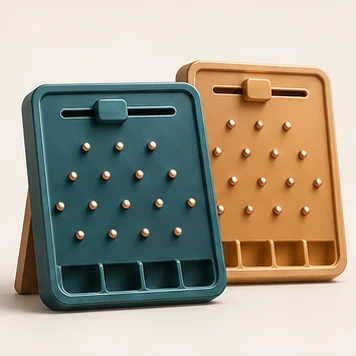
The display is designed to make the paths visible without asking you to steer. If the board has more rows, the animation also has more points to cover. Treat the extra motion as a way to see the depth of the new board. The same exact sequence of turns cannot be written across two boards of different depths without adding choices to reach the bottom. This is why the short paper drawing helps when comparing runs at different settings.
Use the demo to separate feedback from a balance
A drop result on this page explains one event. The drop count is a tally of button presses that completed a round at the current settings. Neither is a balance. If you use pen and paper to pretend that every drop starts with one unit, write the multiplier’s return next to each round and then subtract your fictional unit. Keeping both lines prevents you from recording only the largest printed figures.
A paper exercise
For example, a made-up series of 0.4×, 1.9× and 0.7× applied to one unit each returns a total of three units from three hypothetical stakes. It finishes level even though the second drop displayed a return above one. Another series could finish with a different total. The exercise helps you practise reading the labels because the demo will never make those calculations on an account.
Virtual credits in other games
If a different free game uses the word cash, inspect the screen for an explanation of the credits before assuming they are linked to payments. Virtual balances are useful for exercises like the one above. A game history can show what happened with those credits. A cash payment has a separate transaction record, with its own amount, currency and status. On this site all you need for the practice exercise is the browser board and, if you want to keep a record, your own notes.
Common questions
Can I play the free Plinko game online without signing in?
Yes. The browser runs the simulator and no account or personal details are required.
Can I cash out points from the free Plinko demo?
The sample multipliers have no monetary value and there is no cash balance.
What happens if I change the risk?
The sample multipliers change. With the same row count the left-or-right probabilities stay the same in this simulator.

New Zealand SEO and copywriting consultant.