The Gaming Corps edition at LeoVegas
LeoVegas’s Canadian game page describes LeoVegas Plinko as a branded Gaming Corps title. It documents a ball-drop mechanic without traditional reels or paylines. That helps distinguish it from separate catalogue titles such as Pearl o’ Plinko, which LeoVegas lists with a different developer.
The public page describes customisable rows. Read the current rules when comparing settings, especially if a search snippet lists a maximum payout without identifying the active mode. The brand’s catalogue category is useful for finding the title. The provider name and game rules are better identifiers.
LeoVegas catalogue and regional evidence
The source is an English-language Canadian catalogue, so it proves what that page documents. It does not establish that the title is offered to a New Zealand account. DIA publishes separate player guidance about the local licensing regime.
A screen showing a currency symbol may also be tied to the catalogue’s locale. Record the country and currency code when comparing published examples. You can still use the overseas documentation to establish the game developer and style of play.
How to distinguish the branded title
Look for the name Gaming Corps in the game information. If the tile instead lists Quickspin or another provider, treat its rules, possible game features and paytable separately. A similar thumbnail and the word Plinko are weak evidence that two tiles use the same game.
If you compare the board with Stake’s version, note that the Stake title is an in-house original. Set both games to comparable rows when possible. Then compare the actual centre and outside values alongside the stated odds or RTP for that configuration.
What the LeoVegas product page confirms
- Developer. LeoVegas identifies Gaming Corps for this branded edition.
- Format. Its description refers to a drop board and customisable rows.
- Catalogue context. The public source is Canadian. Check local rules and regional availability separately.
If you are researching a game inside an app, the app guide covers verifying the publisher without assuming a regional catalogue transfers to NZ.
A matching publisher makes a stronger LeoVegas catalogue check
LeoVegas’s Canada-facing catalogue uses the name Gaming Corps for its branded title. The New Zealand-labelled public product page gives the same developer name and describes a choice of field size, volatility, stake and ball count. This agreement is useful for identifying the product. Both pages are public catalogue descriptions. The country label in a URL identifies the intended audience of a page and is separate from whether a particular account can use the service.
Think of an online search for the title as three lookups. The first identifies the product by exact name. The second checks the company named as developer. The third looks for the rule panel attached to the version that a screenshot or description refers to. An image result that satisfies only the first lookup is a weak foundation for copying an RTP or a jackpot figure. Similarly, a product name plus an operator logo cannot establish that a tile came from a certain regional lobby.
When bookmarking references, save the actual game page and date rather than the search snippet. A result can appear under a country-specific path even after the catalogue content has changed. If the defaults discussed in two regional descriptions differ, record each as a regional example and compare only the attributes they explicitly document. This preserves useful observations such as the name of the studio without turning unrelated lines in a catalogue into a promise about local access.
Work out what one press costs with several balls
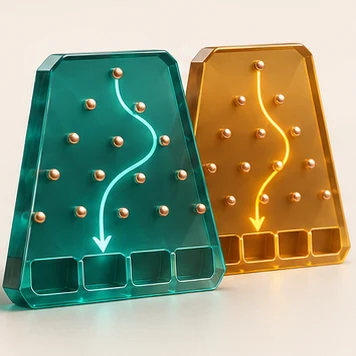
The branded product description mentions a way to choose the number of balls. That matters because the number of animations on screen may differ from the number of stakes charged, depending on how the specific game defines its controls. Read the label next to the money field and the total the interface displays before confirmation. Check whether the figure names a stake per ball or a stake for the whole group. The answer needs to come from the rules for the table you are viewing.
| Meaning of the 0.50-unit field | Balls | Total stake |
|---|---|---|
| Stake per ball | 4 | 2 units |
| Stake for the full group | 4 | 0.50 units |
The same amount and ball count can give you two very different totals. This illustration uses fictional figures. The rules for the actual title define how the field is charged.
The same unit question applies to the result. If the display shows one combined return, a list of multipliers for individual drops may give a different impression from the net result. Compare your total stake with the sum of all returns recorded for that action. If the board separates stake, payout and net movement, save those details together for any comparison. One screenshot of the biggest ball misses how the remaining balls contributed to the total.
What belongs to the LeoVegas edition and what belongs to the studio
Gaming Corps has its own public listing for a game called Plinko. That listing describes its drop-to-tray mechanic and presents more than one RTP figure. It provides useful context about the studio and the type of experience. The branded operator listing is the better starting point for identifying the edition reviewed here. Apply figures from the general studio page to a branded edition only when the rules for that edition confirm the match.
A simple reference note might say that the Canadian operator page identifies the developer, the studio page describes its own base title, and a dated game rules panel identifies the return for a particular configuration. Give each observation its own line. If you only have the first two sources, you can identify the parties and explain the format. Leave the version-specific return unfilled until the third source is in hand.
Avoid assuming all games by the same studio have a related table. Gaming Corps lists Xmas Plinko separately, for example, and describes a tree-shaped layout. The visual resemblance between several falling-ball products makes the developer label useful but incomplete. A different edition can add features or use a different table without looking unfamiliar. The practical rule for research is to match the title, studio and rules for each game. Where one of those details is missing, write down exactly what is absent instead of borrowing it from a related listing.
Read category labels and jackpot information in context
A catalogue uses short labels to help visitors filter a long list of games. The Canadian listing’s prose calls the branded title a slot while describing a board with no conventional reels or paylines. The New Zealand-labelled listing categorises it as instant win. A broad category can vary across regional pages even where the game name and developer match. Mechanics are better understood by looking for what triggers settlement, what each drop costs and how the return is calculated.
A jackpot heading or prominent amount elsewhere on a public game page raises a related question. A site-wide display can sit near several game titles, whereas the rules panel tells you whether the game has any conditions for participating in a linked promotion. If the title tile and the headline figure appear in one screenshot, you have evidence that they were displayed together. You still need the stated eligibility, the promotional terms, and the rules for the mode before treating the figure as a result you can earn from a drop.
For comparison, keep ordinary multiplier payouts and promotional conditions on separate lines. This is especially helpful when comparing products with similar imagery. One page may describe a multiplier at the edge of the board and another may display a separate jackpot amount near the board image. These are different types of information. Convert only the board multiplier into the stake unit, and use the promotion terms to explain any separate feature it genuinely describes.
Check how the board reads on a phone
The peg animation is usually the most prominent part of a mobile view, but the surrounding controls carry the information you need to interpret it. Before making use of any version, check that you can see the stake unit, selected field size, ball count and any displayed total at the same time. A portrait view may make one of those fields harder to spot if the rules panel opens over it. Compare the settings before and after closing the help panel so a shifted screen does not hide a changed control.
Record each screen at the right stage
A useful way to compare screenshots is to label each with its stage. Start with a view that captures the fields before a drop. Then capture the result and the matching entry in any round history. The contrast helps distinguish a momentary message from the stored record. When reviewing somebody else’s clip, see whether it starts early enough to show the full set-up. The last seconds of a multi-ball action cannot explain what was staked or whether every ball shown belongs to that action.
Check history after an interruption
If a browser connection is interrupted, check the current account or game history before repeating an action. A display can stop updating while a previously submitted request remains recorded. A missing animation by itself cannot tell you whether the wager was accepted. When documenting a discrepancy, preserve the time, recorded wager reference, amount and game edition in your notes, with private identifiers redacted before sharing any screenshot.
Common questions
Who develops this LeoVegas game?
The Canadian product page identifies Gaming Corps as the developer of the branded title.
Is Pearl o’ Plinko the same game?
LeoVegas lists Pearl o’ Plinko separately and identifies Quickspin for that title. Use the exact game and provider names when comparing them.
Sources
- LeoVegas Canadian game catalogue · leovegas.com/en-ca/game/leovegas-plinko
- Gaming Corps · Plinko format
- Department of Internal Affairs · Information for online casino customers
- LeoVegas · NZ-labelled public game catalogue
- Gaming Corps · XMAS Plinko product information

New Zealand SEO and copywriting consultant.